Rate Plans
- Paid plan: Dive Resort
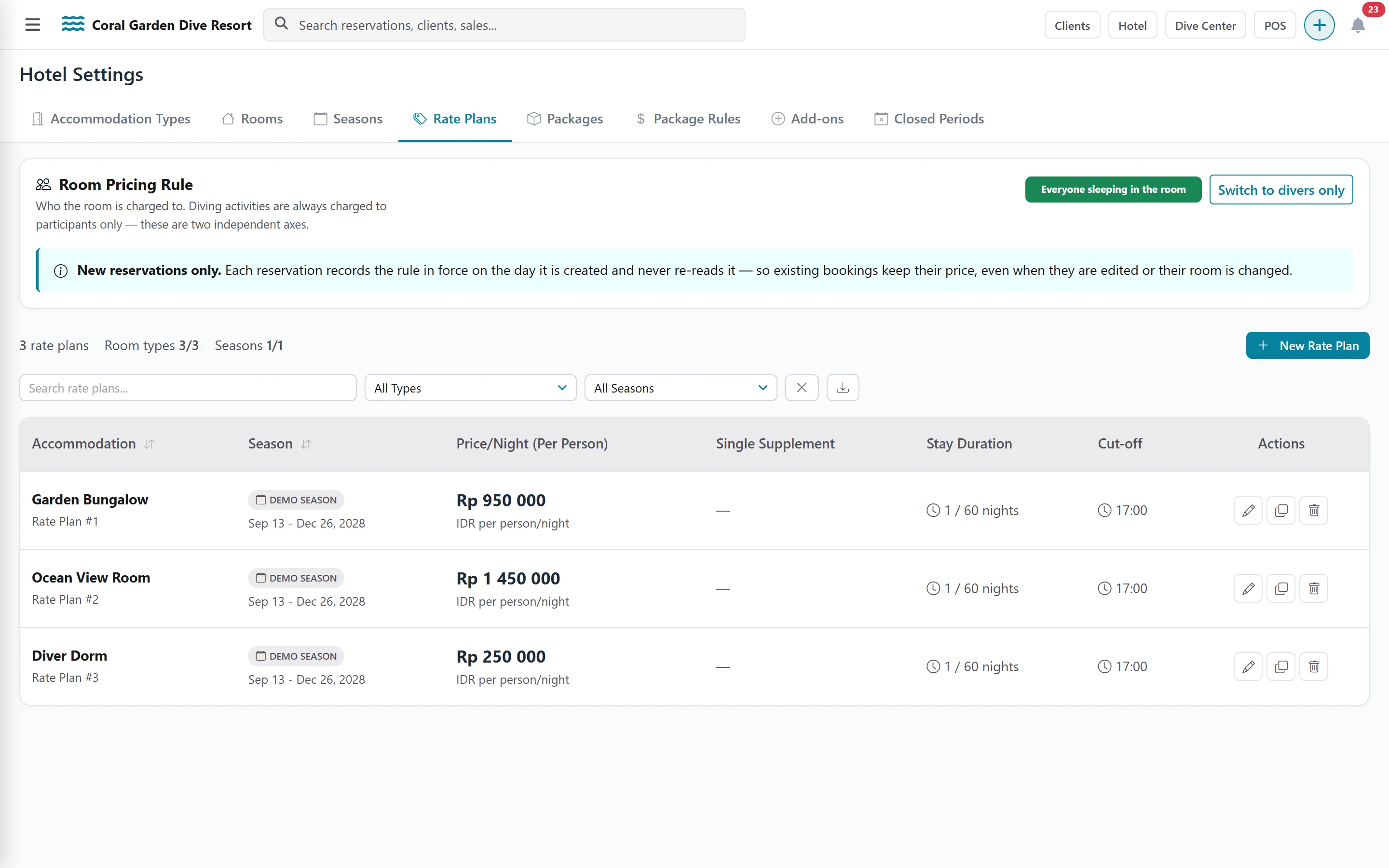
A rate plan is the nightly price of one accommodation type during one season. Create one for every accommodation type in every season you sell.
Create a rate plan
Section titled “Create a rate plan”-
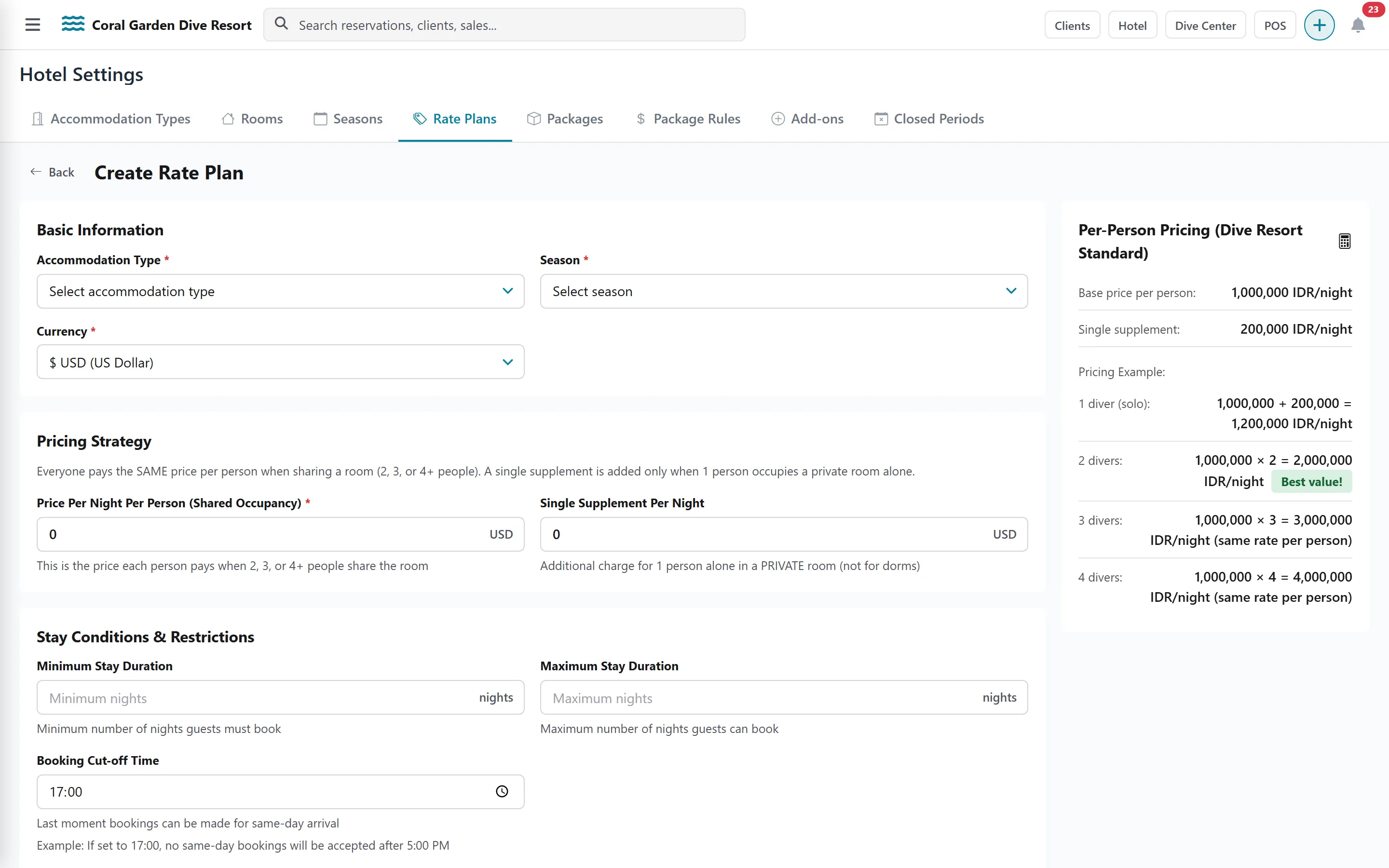
Open Settings › Hotel › Rate Plans and add a rate plan.
-
Choose the Accommodation Type, the Season and the Currency.
-
Enter the Price Per Night Per Person (Shared Occupancy): what each person pays per night when two or more people share the room.
-
Enter the Single Supplement Per Night: what is added when one person is alone in a private room. It does not apply to dormitories.
-
Optionally set a Minimum Stay Duration and Maximum Stay Duration (in nights).
-
Optionally set a Booking Cut-off Time: for example 17:00 means no same-day booking after 5 PM.
-
Save.
How per-person pricing works
Section titled “How per-person pricing works”The help column of the form shows a worked example. With a price of 100 per person per night and a single supplement of 20:
| Guests in the room | Price per night |
|---|---|
| 1 | 120 (price + single supplement) |
| 2 | 200 |
| 3 | 300 |
| 4 | 400 |
Room Pricing Rule: who the room is charged to
Section titled “Room Pricing Rule: who the room is charged to”At the top of the rate plan list, Room Pricing Rule decides who pays for the room:
- Divers only: only the divers in the room are charged a room price.
- Everyone sleeping in the room: every occupant is charged, divers or not.
Click Switch to… to change it. Diving activities are always charged to participants only — this rule is about the room.