
Activities
An activity is anything you sell: a fun dive, a two-tank boat trip, an Open Water course, a snorkelling tour. It carries the price, the schedule day by day and who may lead it. When it runs and how many seats there are is set on Departures.
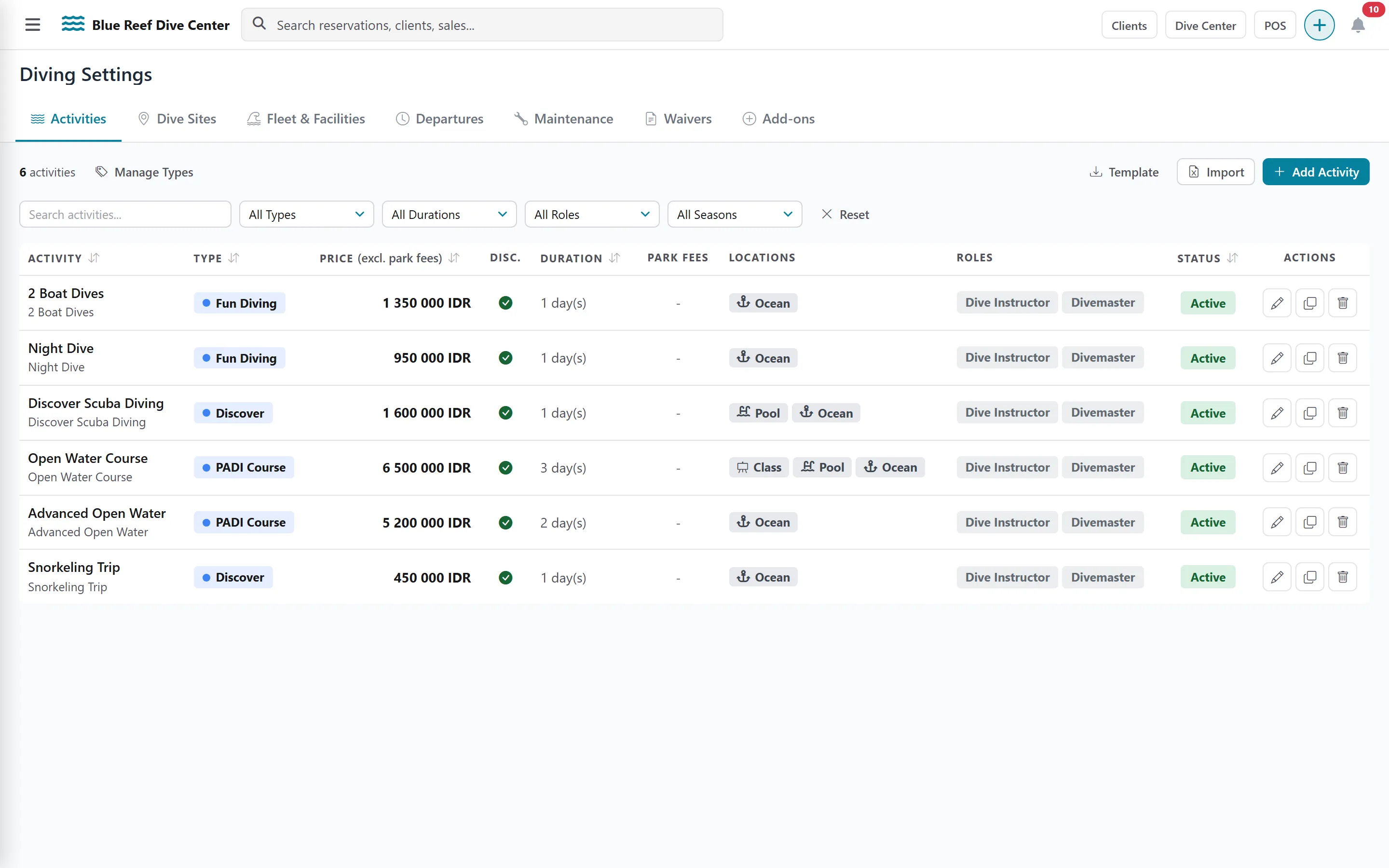
The activity list
Section titled “The activity list”The list shows each activity’s type, price, discount flag, duration, mandatory-fee days, locations, authorized roles and status. Filter by type, duration, role or season. Each row has Edit, Clone and Delete.
Buttons at the top: Manage Types, Template, Import and Add Activity.
Create an activity
Section titled “Create an activity”-
Click Add Activity.
-
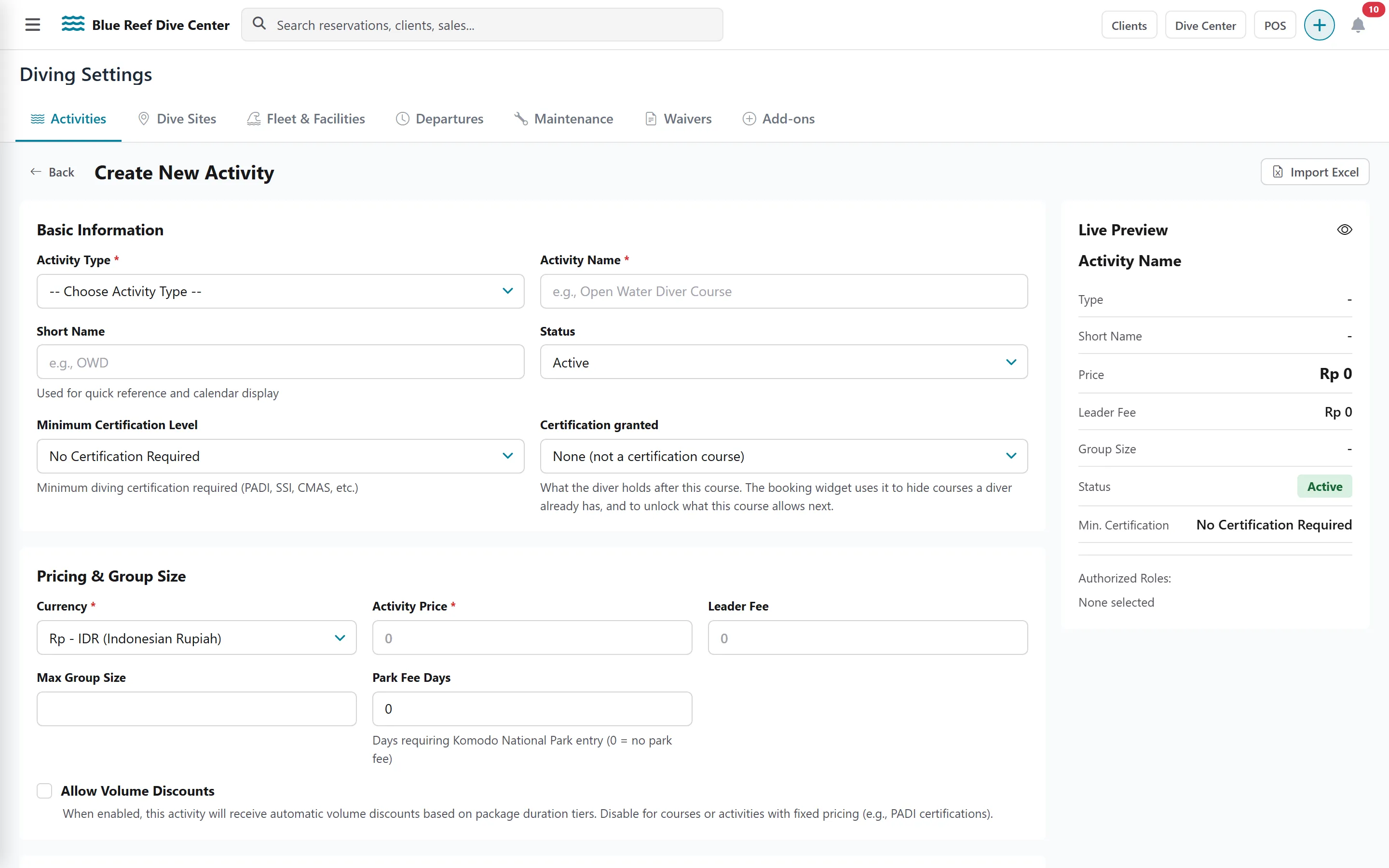
Basic Information
- Activity Type and Activity Name (the name must be unique).
- Short Name: used in calendars and quick views.
- Status: Active or Archived.
- Minimum Certification Level required to join (from No Certification Required to Instructor).
- Certification granted, for courses: the level the guest obtains, or Other specialty… with a free name. Leave None for non-course activities.
-
Pricing & Group Size
- Currency (pre-filled with your default currency) and Activity Price.
- Leader Fee: what the guide or instructor is paid for leading it.
- Max Group Size.
- Park Fee Days: how many days of this activity are subject to your per-day mandatory fee (0 = none). The fee amount itself is set once in Taxes.
- Allow Volume Discounts: untick it for activities that must never be discounted.
-
Seasonal Pricing (optional): switch on Enable seasonal pricing for this activity and enter a price for each season. A season left empty uses the default price. Seasons are created in Hotel Settings › Seasons.
-
Confined Water Configuration (courses): switch it on and choose where confined-water sessions happen: Pool, Shore or Boat.
-
Day-by-Day Configuration: click Add Day for each day of the activity. For each session choose the Time of Day (Morning, Afternoon, Night, Full Day), the Location Type (Pool, Ocean/Boat, Shore, Classroom) and the number of Dives. Every day needs at least one session; the duration is calculated from the days.
-
Authorized Roles: tick the staff positions allowed to lead this activity. This list is also used by commission rules, so keep it accurate.
-
Click Create Activity.
Clone an activity
Section titled “Clone an activity”Clone opens the creation form pre-filled with a copy. Nothing is saved until you click Create Activity — change the name first, since names must be unique.
Import many activities at once
Section titled “Import many activities at once”-
Click Template to download the import file.
-
Fill one line per activity. Required columns: name, activity_type, activity_price and duration (days). available_days takes day numbers from 0 to 6, comma-separated; status is active or inactive.
-
Click Import, choose your
.xlsx,.xlsor.csvfile and click Import Activities.
Activity types
Section titled “Activity types”Manage Types lists your activity types (Fun Dive, Course, Snorkelling…). Add Type asks for a Type Name (unique) and an optional colour.