
Packages
- Paid plan: Dive Resort
A package sells nights together with activities. DiveHQ shows two families in your price list:
- Dive & Stay: nights + dives.
- Course & Stay: nights + a course. A package becomes a Course & Stay package when you set its PADI Course Type (DSD, Scuba Diver, Open Water, Advanced, Rescue, Divemaster, Nitrox, Deep, IDC or the Open Water + Advanced combo).
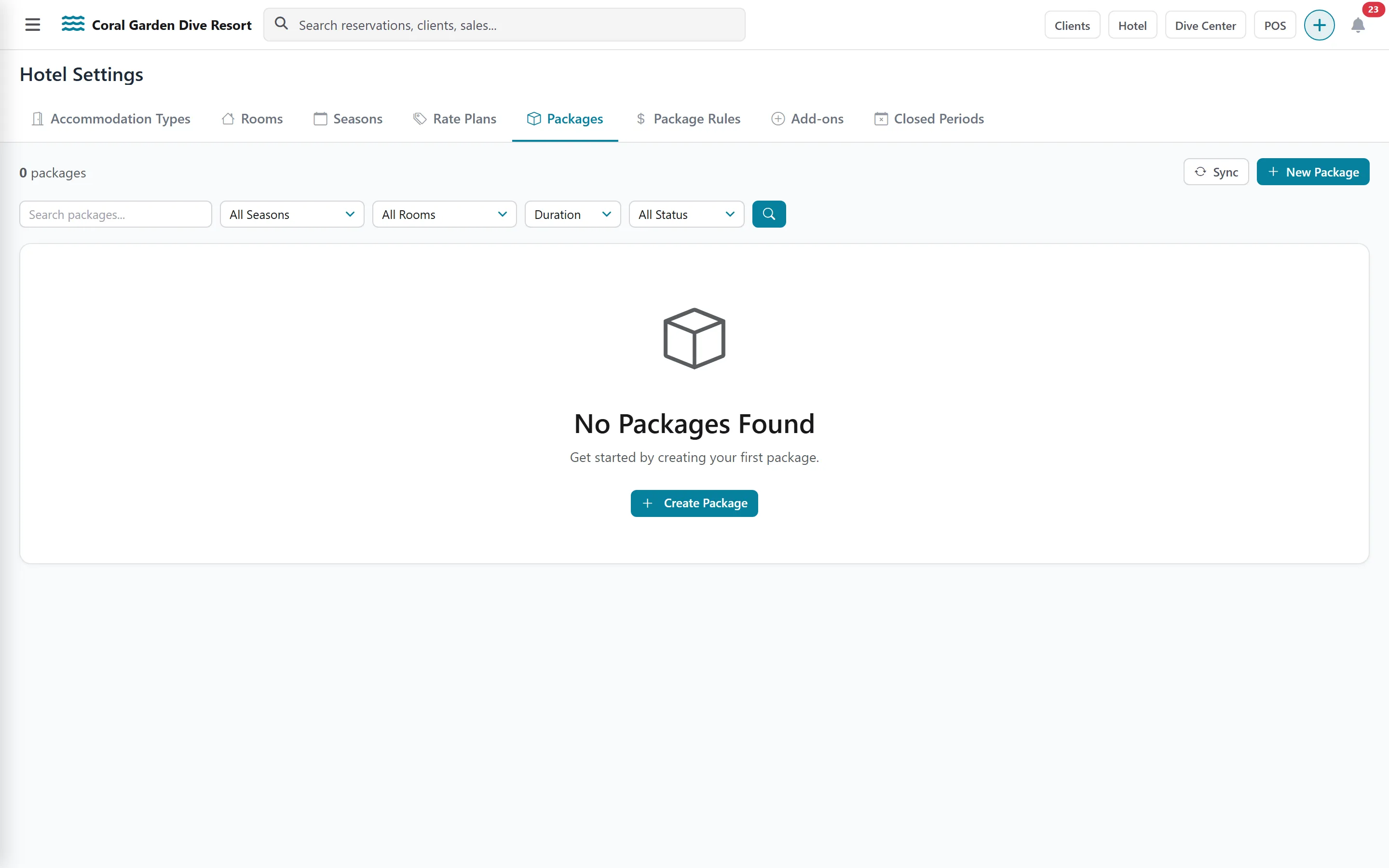
Create packages
Section titled “Create packages”One form can create many packages at once: one per room type and per season.
-
Open Settings › Hotel › Packages and create a package.
-
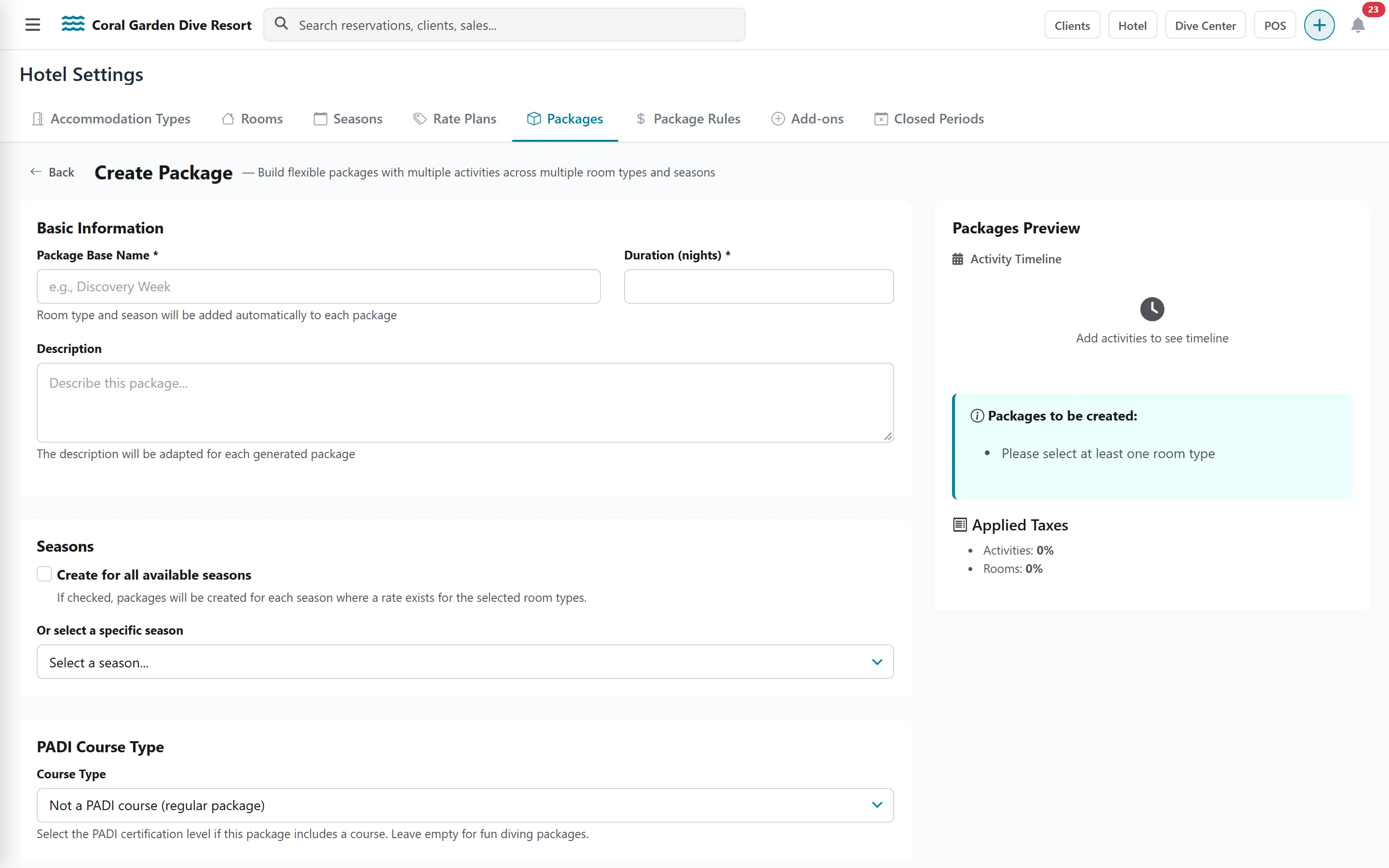
Enter the Package Base Name (for example “Dive Week”) and the Duration (nights). DiveHQ adds the room type and season to each package’s name.
-
Under Seasons, choose Create for all available seasons or one season.
-
Under Select Room Type(s), tick every room type this package is sold in.
-
In the Activities Timeline, click Add Activity for each activity and set the Start Day of the stay on which it happens.
-
Check the Taxes that apply.
-
Discounts: leave Room, Activity and Total Discount (%) empty to use the automatic tiers from Package rules, or type a value to override them for these packages.
-
Tick Activate these packages to sell them straight away, or leave it unticked to review them first.
-
Fill the Booking Widget Settings: What’s Included, What’s NOT Included and Policy / Terms & Conditions. Copy from… reuses the texts of another package.
-
Click Create Packages.
Clone a package
Section titled “Clone a package”Clone creates an inactive copy of a package, so you can change it before selling. Rename the copy: its name starts with “Copy of”.
Keep packages in line with your prices
Section titled “Keep packages in line with your prices”A package’s price is built from the room rate, the activity prices and the taxes. When one of them changes, an impacted packages banner appears (for example on the activity list). Open Sync to see every change — activity prices, room rates, taxes, discounts — and update the packages one by one or all at once with Update All.