
Accommodation types & rooms
- Paid plan: Dive Resort
Settings › Hotel has these tabs: Accommodation Types, Rooms, Seasons, Rate Plans, Packages, Package Rules, Add-ons and Closed Periods. Work through them in that order.
Accommodation types
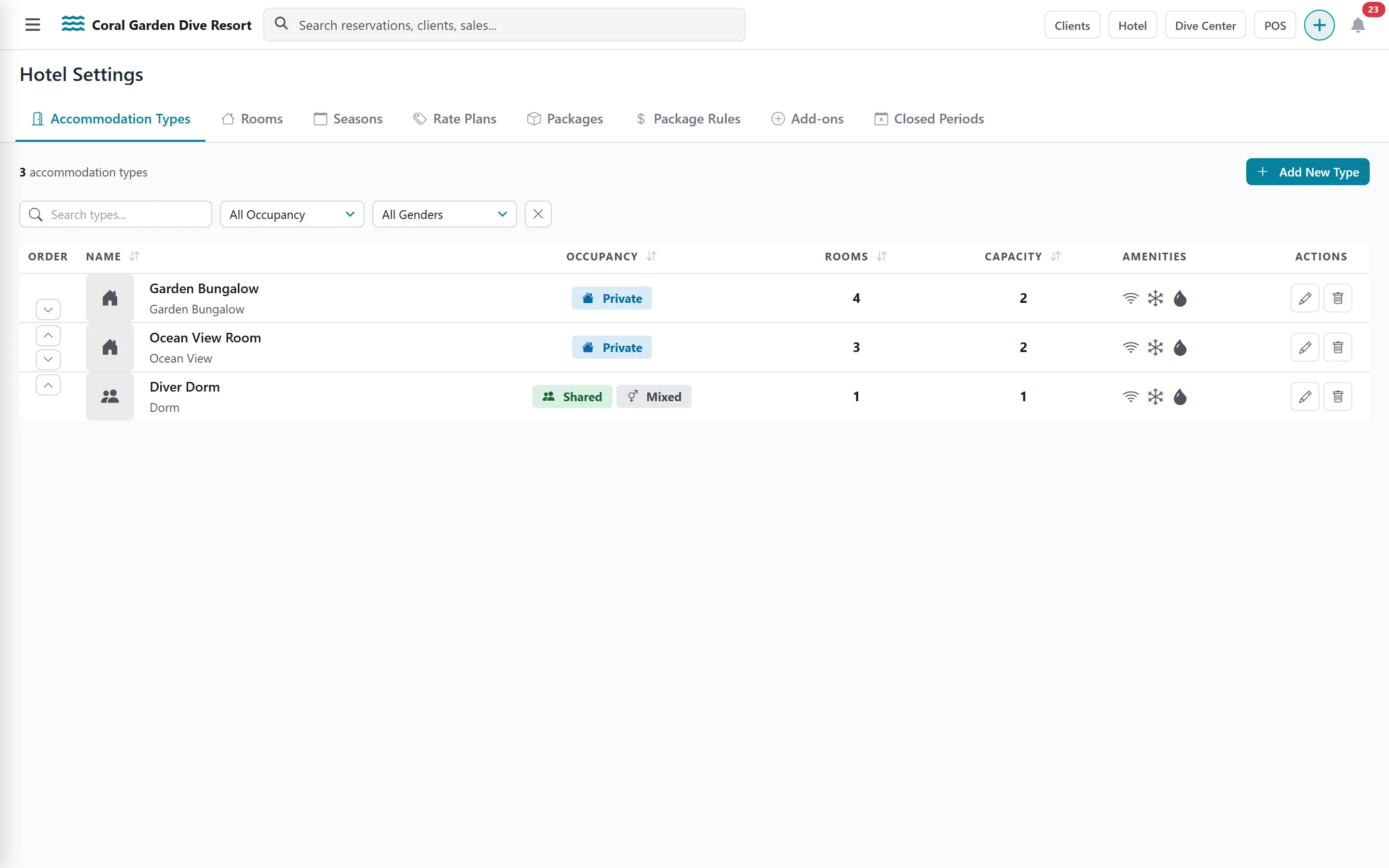
Section titled “Accommodation types”An accommodation type is a category you sell: Garden Bungalow, Ocean View Room, 6-bed Dorm.
-
Open Settings › Hotel. The Accommodation Types tab opens; add a type.
-
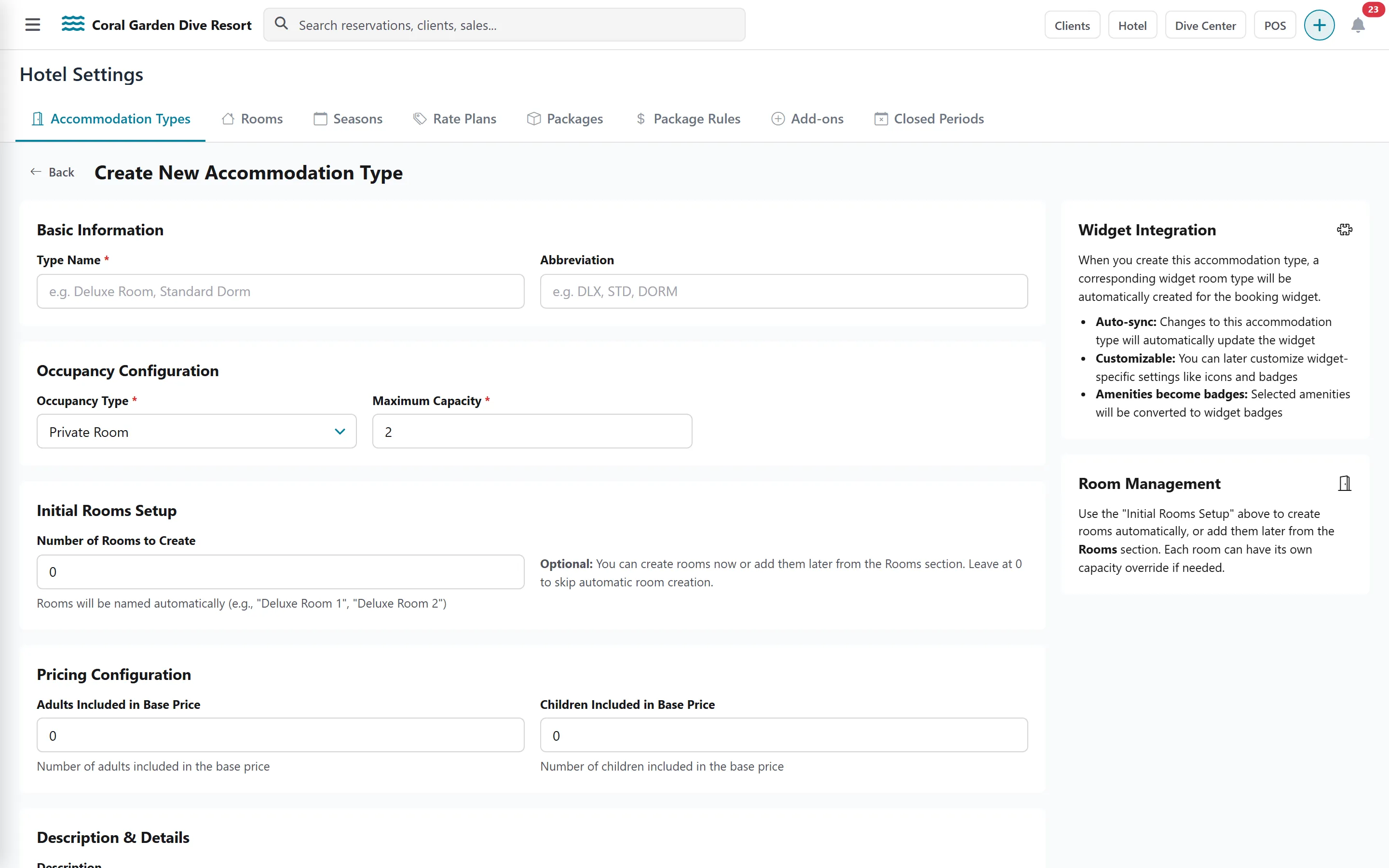
Enter the Type Name and an optional Abbreviation (used in the calendar).
-
Choose the Occupancy Type: Private Room or Shared Room (Dormitory). For a dormitory, also choose the Gender: Mixed, Male Only or Female Only.
-
Set the Maximum Capacity, and how many Adults and Children are included in the base price.
-
In Number of Rooms to Create, enter how many rooms of this type you have (up to 50). DiveHQ creates and names them for you.
-
Add a description, amenities and a Main Image, then save.
The Rooms tab lists every room. Open a room to adjust it:
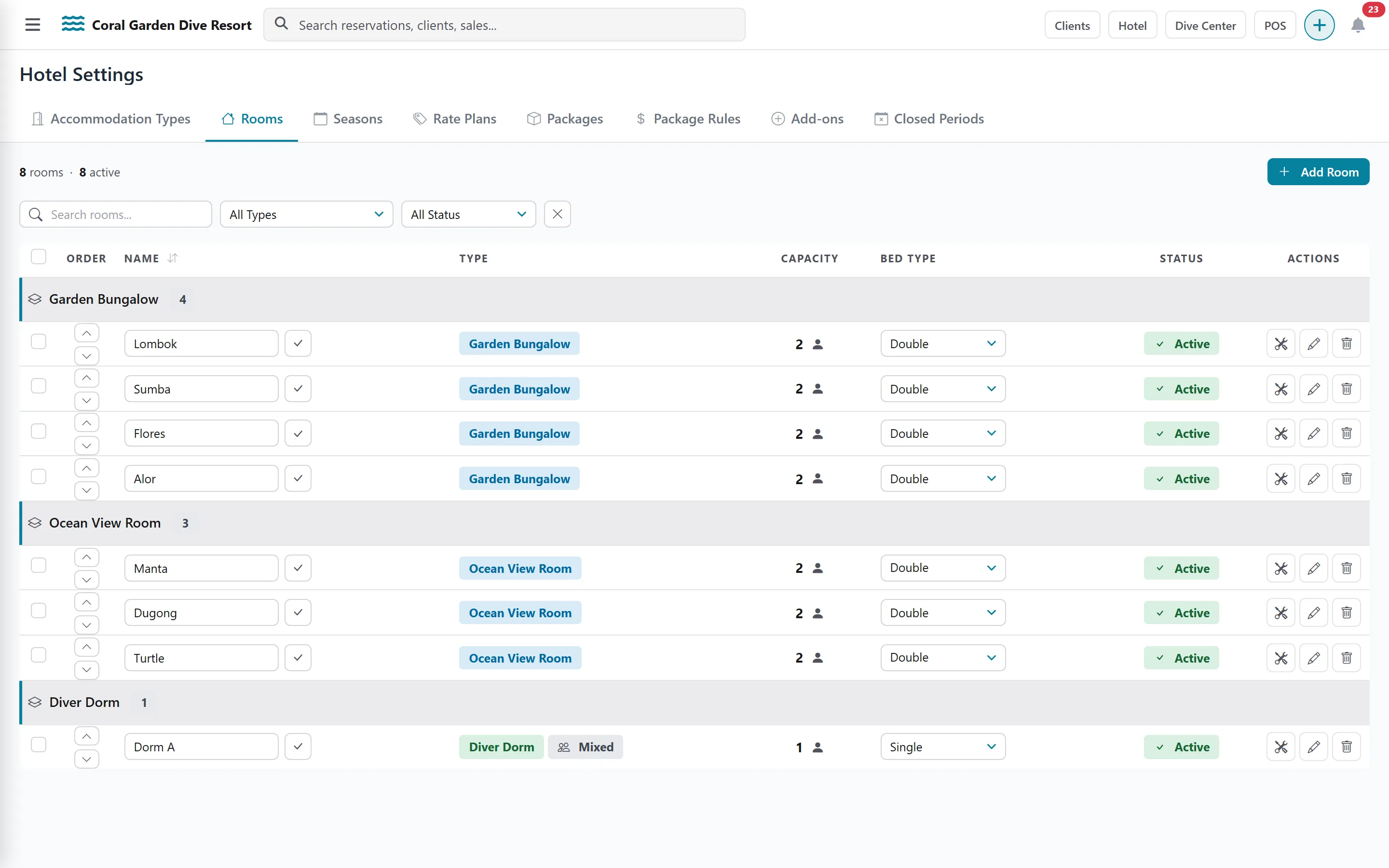
- Room Name and Accommodation Type.
- Bed Options: Single bed (Dormitory), Double bed only, Twin beds only or Flexible.
- Capacity Override, when this room holds more or fewer people than its type.
- Room Status: whether the room is available for guests to book.