
Extras & mandatory fees
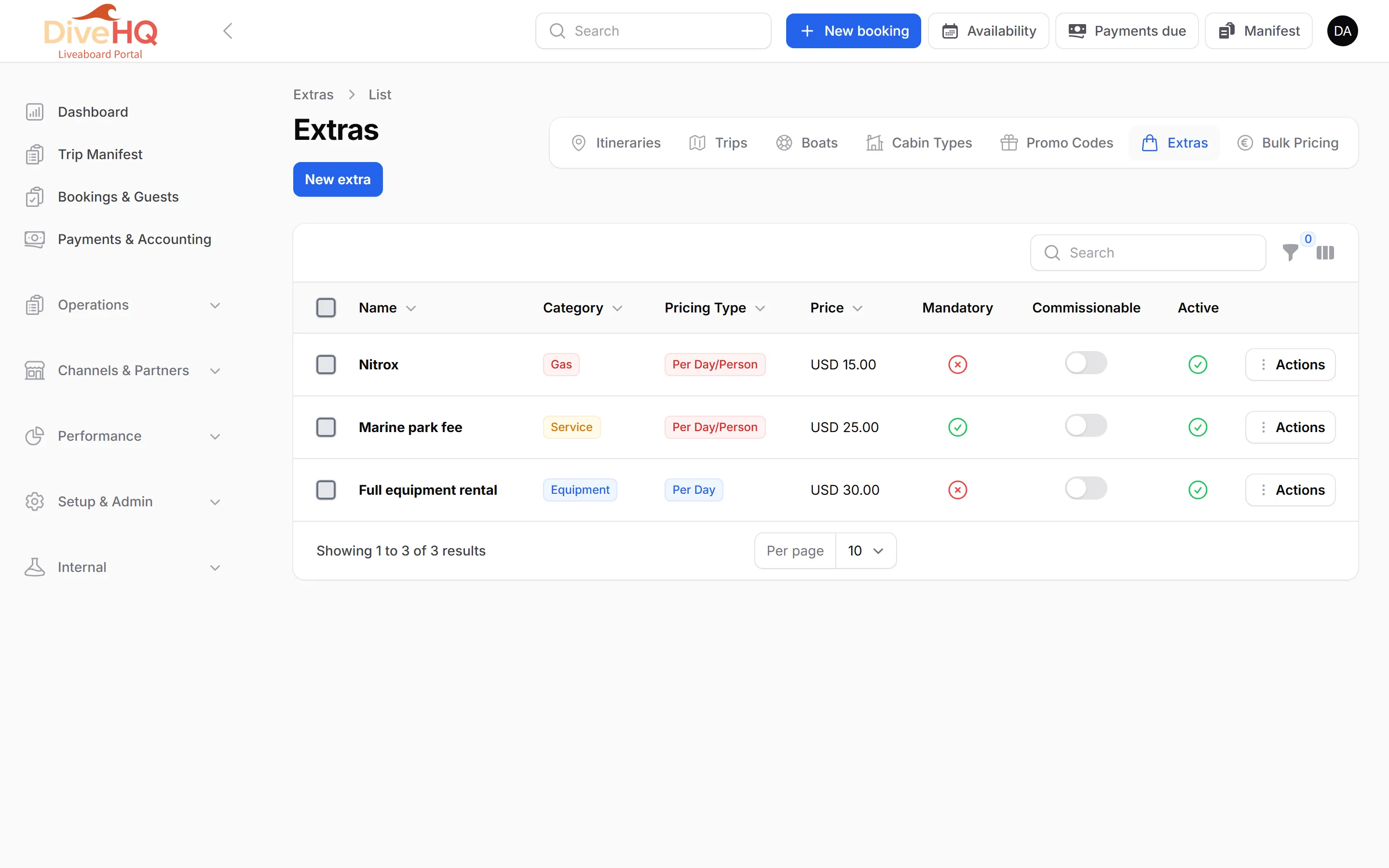
An extra is anything sold on top of the cabin. It is either optional (the guest chooses it: nitrox, rental gear, a course) or mandatory (every guest pays it: for example a marine park entrance fee). It is paid either in advance, with the booking, or on board, during the trip.
Create an extra
Section titled “Create an extra”-
Open Product Setup › Extras, then New extra.
-
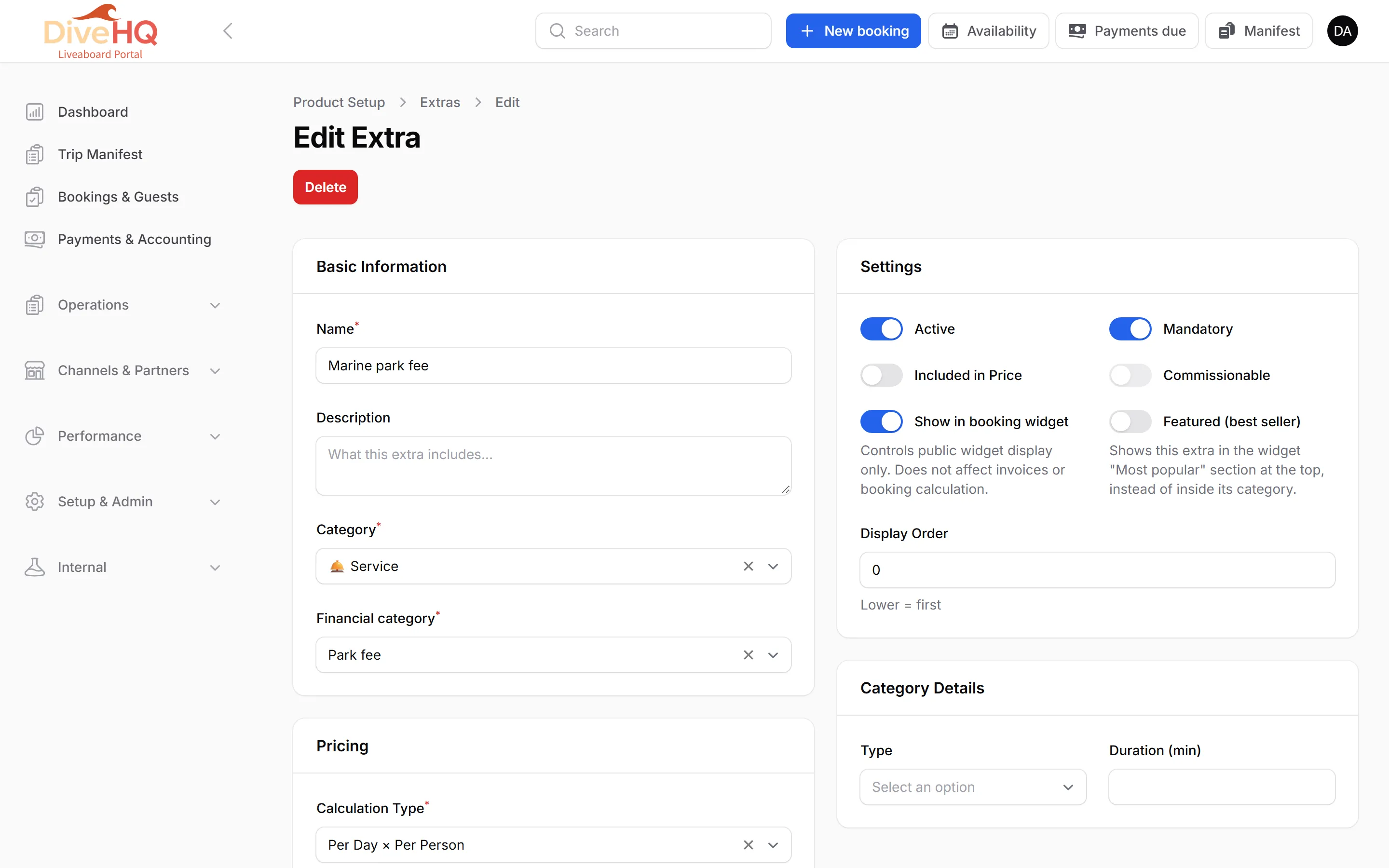
Basic Information: the Name, a description, the Category (Equipment Rental, Diving Course, Service, Gas Fill or Technical Gear) and the Financial category (Extra, Service, Park fee…).
-
Pricing: the Calculation Type — Fixed Amount, Percentage, Per Person, Per Day, Per Night or Per Day × Per Person — and the Amount. Then choose Payment: In Advance or On Board.
-
Settings:
- Mandatory — added automatically to every booking.
- Included in Price — already part of the cabin price.
- Commissionable — counted in agency commissions.
- Show in booking widget — visible to guests online. It only affects the widget, never invoices or booking totals.
- Featured (best seller) — shown in the widget’s Most popular section.
-
Category Details change with the category: sizes and brand for rental, agency and level for a course, gas type and tank for a gas fill…
-
Advanced Options › Trip Assignment: All Trips, or Specific Trips.
-
Save.
Mandatory fees (e.g. marine park fees)
Section titled “Mandatory fees (e.g. marine park fees)”Many destinations charge each diver an entrance fee for protected areas. In DiveHQ it is a mandatory extra:
-
Create an extra, for example “Marine park fee”.
-
Set the Financial category to Park fee. DiveHQ then switches on Mandatory, sets Payment to On Board, and turns off Included in Price and Commissionable.
-
Set the Calculation Type (often Per Day × Per Person) and the Amount.
-
Under Trip Assignment, keep All Trips.
-
Save.
Paid now or paid on board
Section titled “Paid now or paid on board”- In Advance extras are part of the booking total, the amount the guest pays you before the trip.
- On Board extras are not part of the booking total. During online booking, guests see them in a Payable on board box. On the booking page, the Why this total? block lists them on a separate Charged on board line — charged to the guest and collected by the crew — while Booking total, Paid and Remaining to pay only count what is paid before the trip.
Which trips get the extra
Section titled “Which trips get the extra”- When you save an extra, it is added to — or updated on — the trips it is assigned to: every upcoming trip with All Trips, or every trip you selected with Specific Trips (past ones included).
- Trips created later automatically receive every extra that is active, mandatory and assigned to All Trips.
- Each trip’s Extras tab can adjust that trip’s price, quantity and availability (see Trips).