
Bulk Pricing
Bulk Pricing (page title Pricing Management) is where you set and change cabin prices. It opens on Bulk Calendar View.
Boat Pricing Matrix — default prices
Section titled “Boat Pricing Matrix — default prices”-
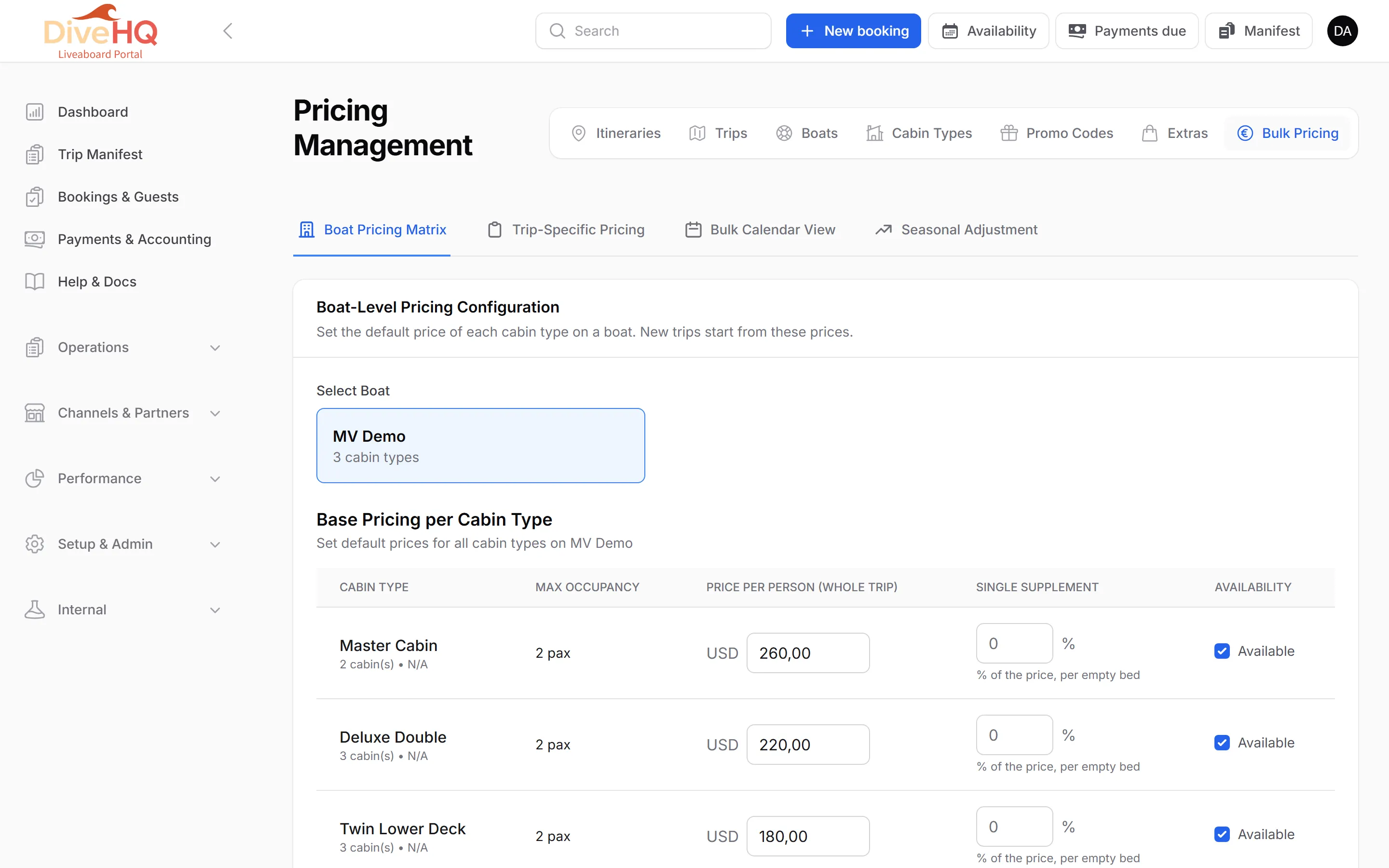
Click Boat Pricing Matrix and Select Boat.
-
For each cabin type, enter the price per person and the single supplement (a percentage per empty bed), and set Availability.
-
Click Save Boat Pricing.
New trips of this boat start from these prices. Reset to Saved discards changes you have not saved.
Trip-Specific Pricing — one trip
Section titled “Trip-Specific Pricing — one trip”-
Click Trip-Specific Pricing, filter by boat, itinerary or month, and Select Trip. Each trip card shows how many spots are left.
-
Under Pricing Strategy, choose Use Boat Default Pricing or Custom Pricing for this Trip.
-
Enter the prices that differ. A field left empty keeps the boat default.
-
Click Save Trip Pricing.
Bulk Calendar View — many trips at once
Section titled “Bulk Calendar View — many trips at once”-
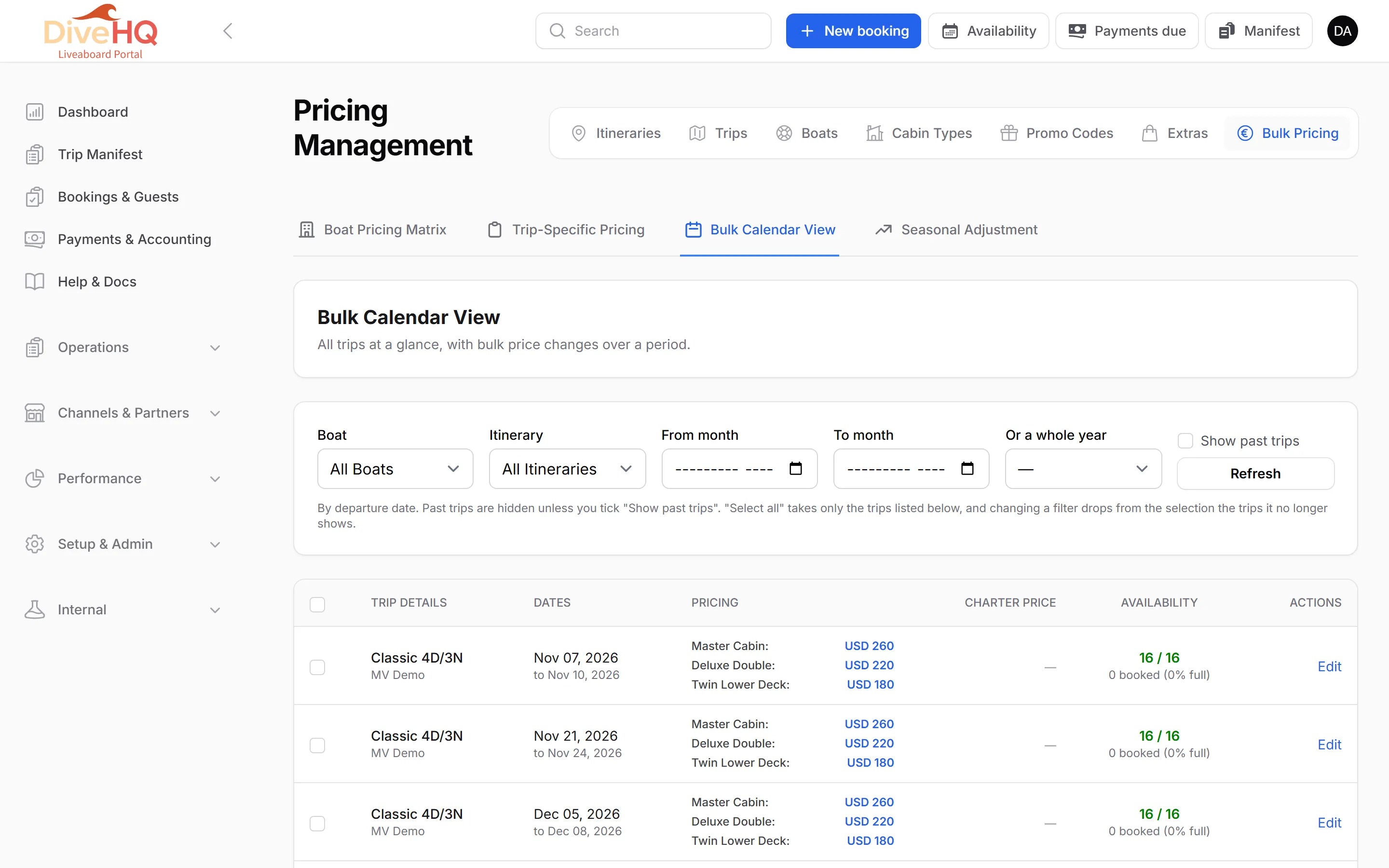
Filter by Boat, Itinerary and a month range (From month, To month) or Or a whole year. Tick Show past trips to include them. Click Refresh.
-
Tick the trips to change — or select all. The page shows how many trips are selected.
-
Click Bulk Edit Pricing.
-
In the Bulk Price Update window, enter the new price per person for each cabin type you want to change and, if needed, a new single supplement. A field left blank keeps the current value. You can also set a Full Charter Price.
-
Click Apply Changes.
Export to Excel downloads the trips and prices shown.
Seasonal Adjustment — a percentage over a period
Section titled “Seasonal Adjustment — a percentage over a period”-
Click Seasonal Adjustment.
-
Choose the departure range (From / To), the direction (Increase or Decrease) and the Percentage. Tick Exclude bunk / bonus cabins if those should keep their price.
-
Optionally click Show the trips of this range and tick only the trips to adjust. Ticking none adjusts the whole range.
-
Click Preview to see every cabin’s current and new price.
-
Click Apply and confirm.