
2. Boats & cabin types
Product Setup has one tab per building block of your offer: Itineraries, Trips, Boats, Cabin Types, Promo Codes, Extras and Bulk Pricing. Start with the boat.
Your boat
Section titled “Your boat”-
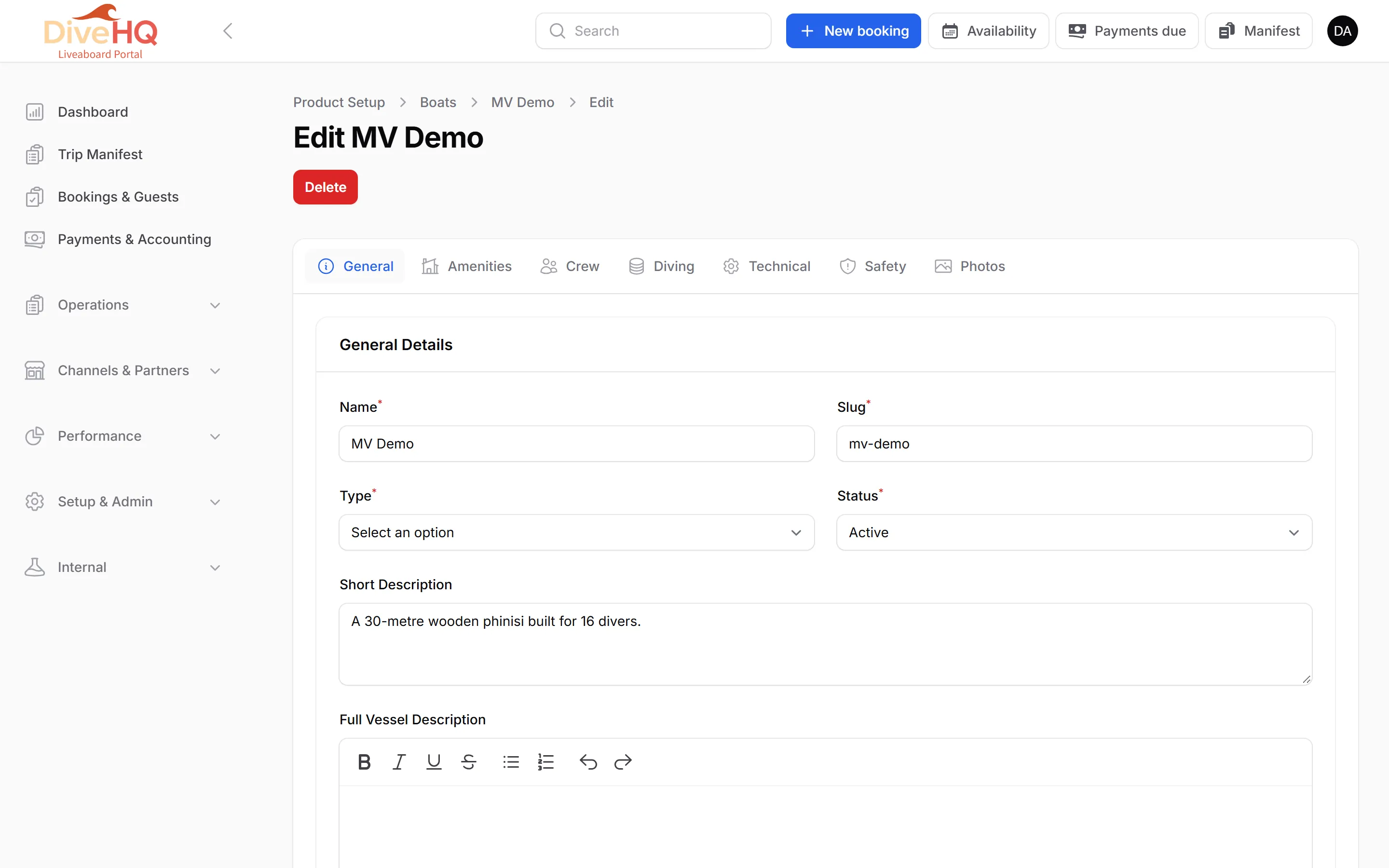
Open Setup & Admin › Product Setup, click the Boats tab, then New boat.
-
On the General tab, enter the Name (the slug fills itself), the Type (Liveaboard, Day Boat or Safari Boat), the Status (Active, Maintenance or Inactive) and a description.
-
Under Construction & Specifications, set Max Passengers (required) and, if you wish, length, year built, number of cabins and the payment methods accepted on board.
-
Complete the other tabs as you like — Amenities, Crew, Diving, Technical, Safety and Photos (featured image and gallery, max 5 MB per image). They feed your public boat page.
-
Save.
Cabin types
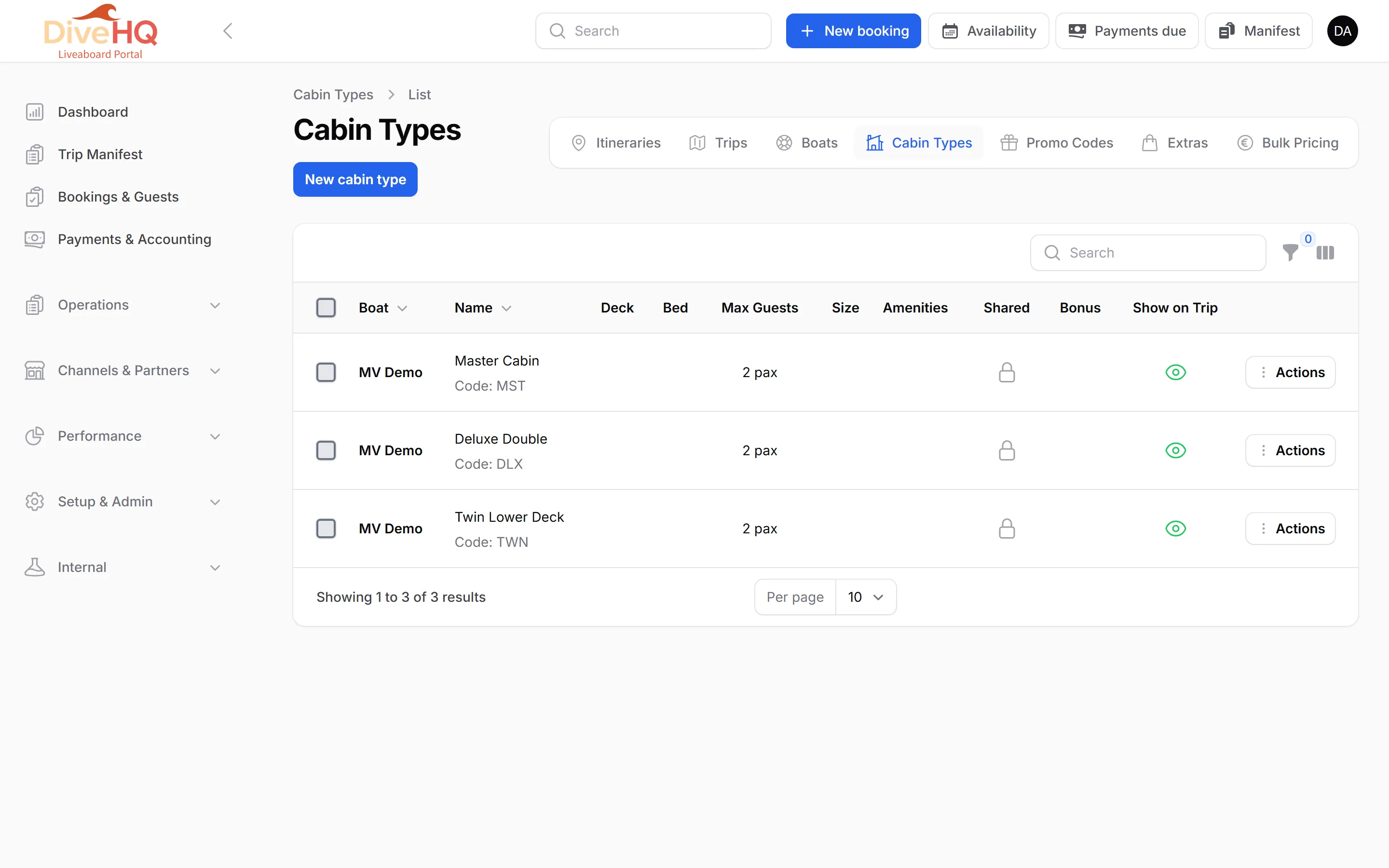
Section titled “Cabin types”A cabin type is what guests choose when they book: Master Cabin, Deluxe Double, Twin Lower Deck…
-
Click the Cabin Types tab, then New cabin type.
-
Choose the Boat, enter the Name and a short Code (for example MST, DLX).
-
In Cabin Specifications, set the deck, size, bed configuration and Max occupancy (required).
-
In Booking Options, switch on Allow Shared Booking if single beds can be sold to guests who don’t know each other, then choose the Gender Sharing Policy (Same Gender Only or Mixed Gender Allowed).
-
In Trip Assignment & Visibility, choose where the cabin exists: on all trips of this boat (default), only on specific trips, or on every trip except a few.
-
Save.
Next: 3. Itineraries & trips