
3. Itineraries & trips
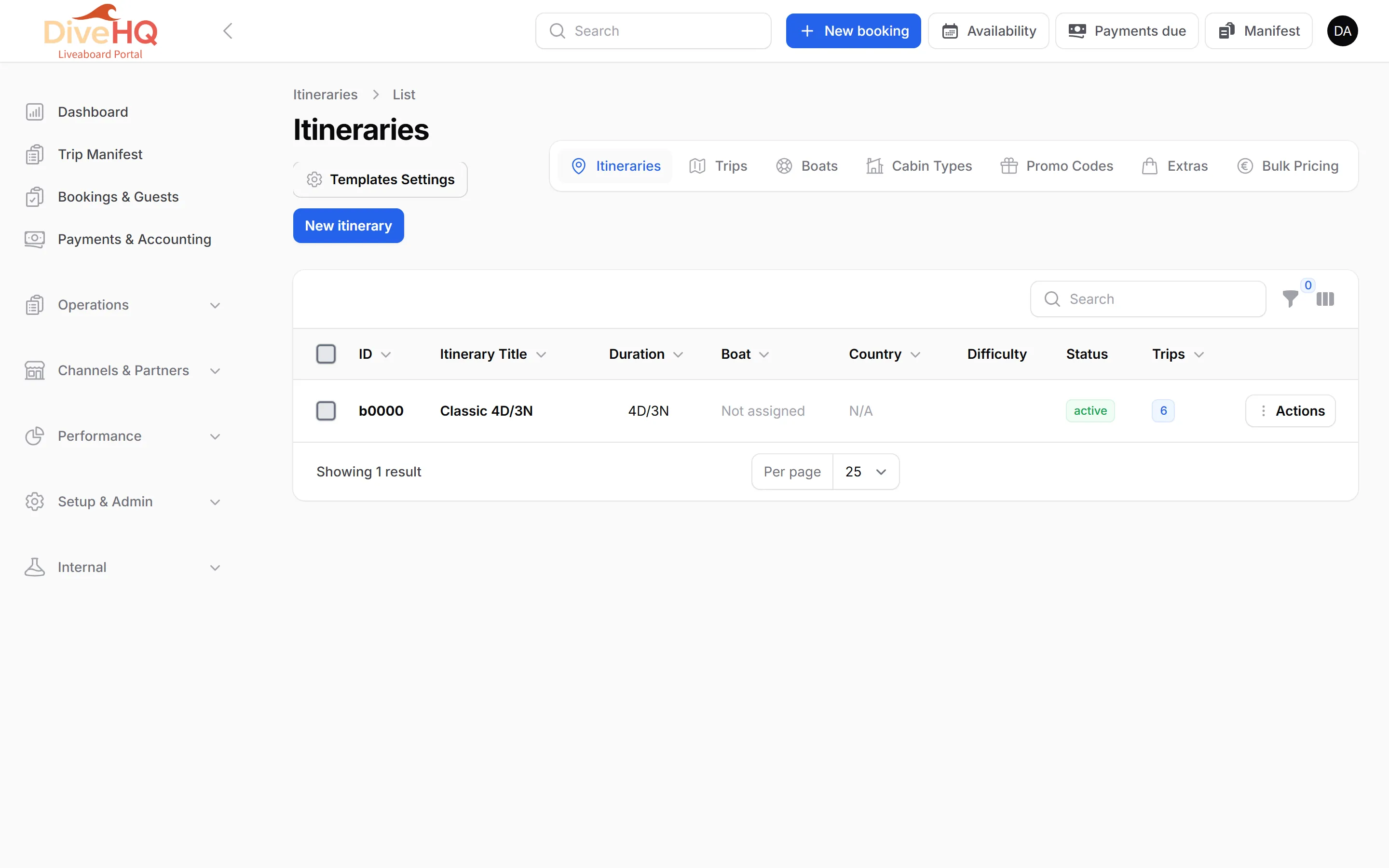
An itinerary is a route you sell again and again (Classic 4D/3N). A trip is one departure of that itinerary, on one boat, on given dates.
Create an itinerary
Section titled “Create an itinerary”-
Click the Itineraries tab, then New itinerary.
-
In Basic Information, enter the Name, the region and country, and keep the Status on Active. The Unique ID is generated for you.
-
In Duration & Difficulty, set the number of Days and Nights (required), the total dives, the difficulty and the departure and arrival ports.
-
Optionally build the Daily Program (➕ Add Day for each day, with its dive sites), the highlights, a FAQ, the requirements (minimum certification and logged dives) and what is included and excluded. All of it appears on your public trip pages.
-
Save.
Schedule trips
Section titled “Schedule trips”-
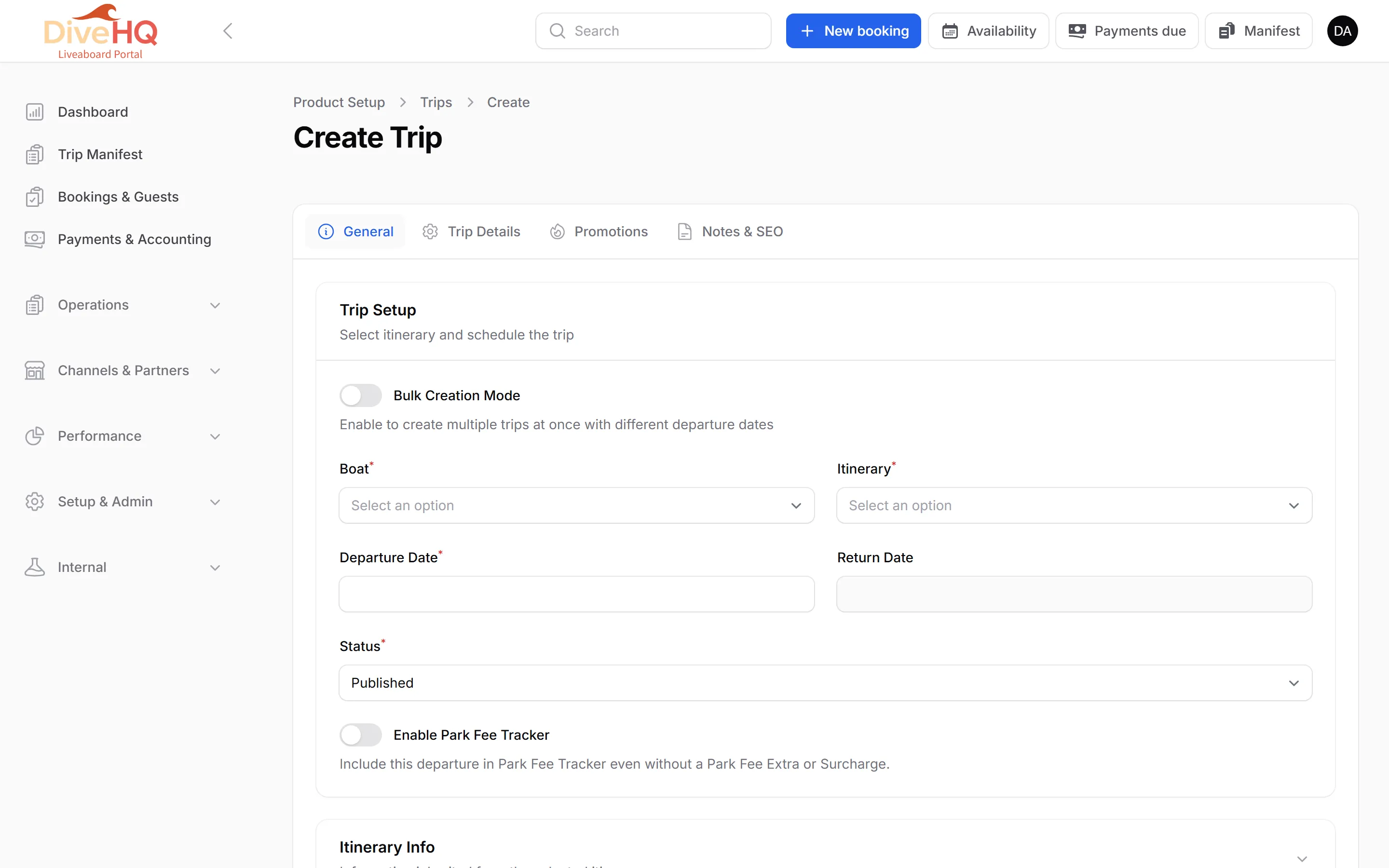
Click the Trips tab, then New trip.
-
Choose the Boat and the Itinerary. The return date, diving days and total dives fill themselves from the itinerary.
-
Pick the Departure Date. To create many departures at once, switch on Bulk Creation Mode and click the dates on the calendar: a preview lists every trip that will be created.
-
Keep the Status on Published to sell the trip.
-
Save.
Every option of a trip — prices, extras, promotions, crew — is described in Trips.
Next: 4. Prices