
4. Prices
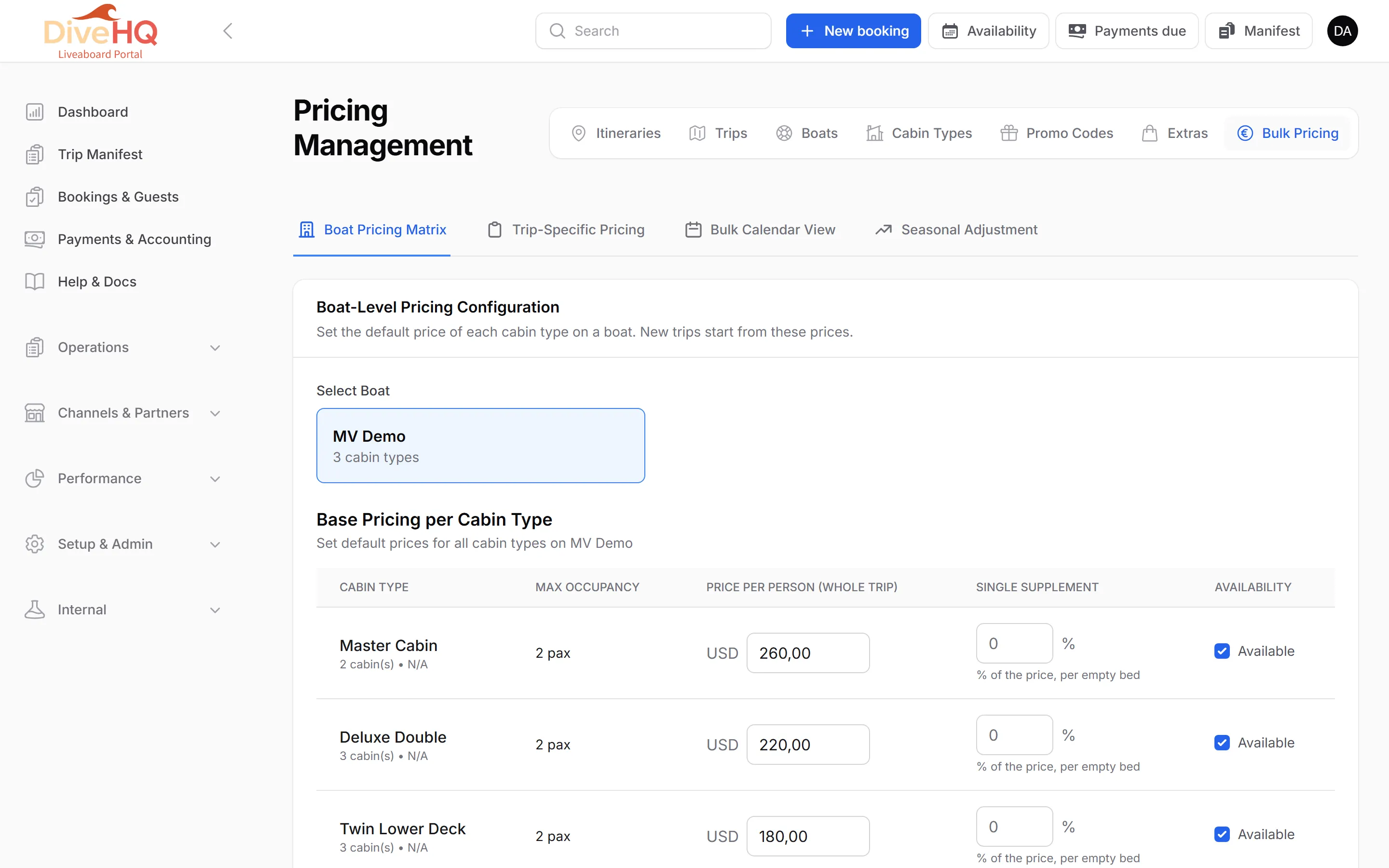
Cabin prices are managed on one page: Product Setup › Bulk Pricing (page title Pricing Management). It has four tabs:
| Tab | Use it to |
|---|---|
| Boat Pricing Matrix | set the default price of each cabin type of a boat; new trips start from it |
| Trip-Specific Pricing | give one trip its own prices |
| Bulk Calendar View | change the prices of many trips at once |
| Seasonal Adjustment | raise or lower all prices in a date range by a percentage |
To start, open Boat Pricing Matrix, select your boat, enter a price for each cabin type and click Save Boat Pricing.
The other tabs are explained step by step in Bulk Pricing.