
6. Policies & online payments
- Admin only
Deposit, payment schedule and cancellation
Section titled “Deposit, payment schedule and cancellation”-
Open System Settings and click the Policies tab.
-
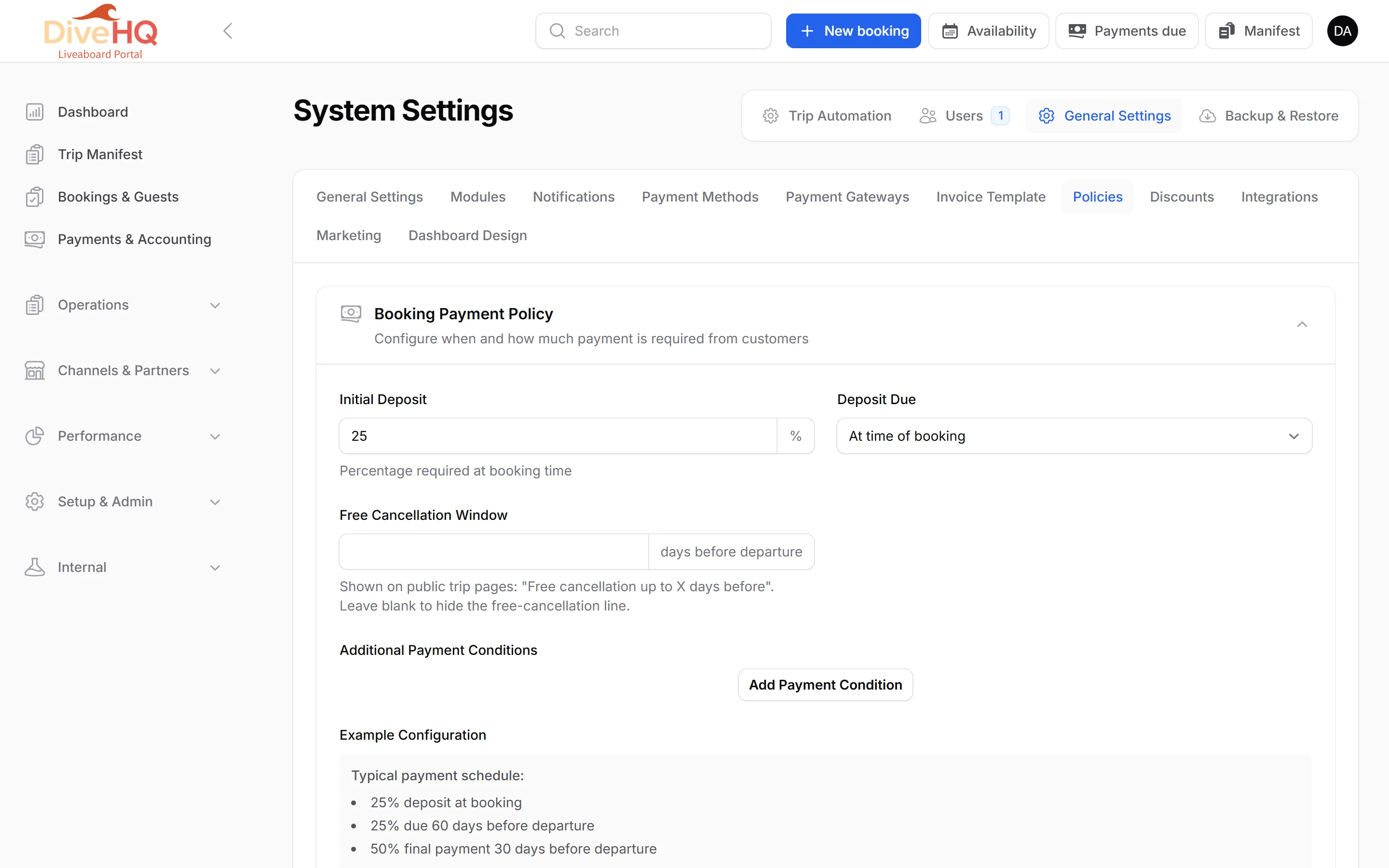
In Booking Payment Policy, set the Initial Deposit (percentage required at booking) and when it is due: At time of booking, Before option expiry date, or Days before departure.
-
Optionally set a Free Cancellation Window (days before departure). It is shown on your public trip pages as “Free cancellation up to X days before”; leave it blank to hide that line.
-
Under Additional Payment Conditions, click Add Payment Condition for each further instalment — for example 25 % at booking, 25 % 60 days before, 50 % 30 days before.
-
In Cancellation Policy, click Add Cancellation Condition for each step: the Charge % of the total, and when it applies (after payment is secured, or within X days of departure).
-
Write your Terms & Conditions and click Save Settings.
Online payment gateway
Section titled “Online payment gateway”-
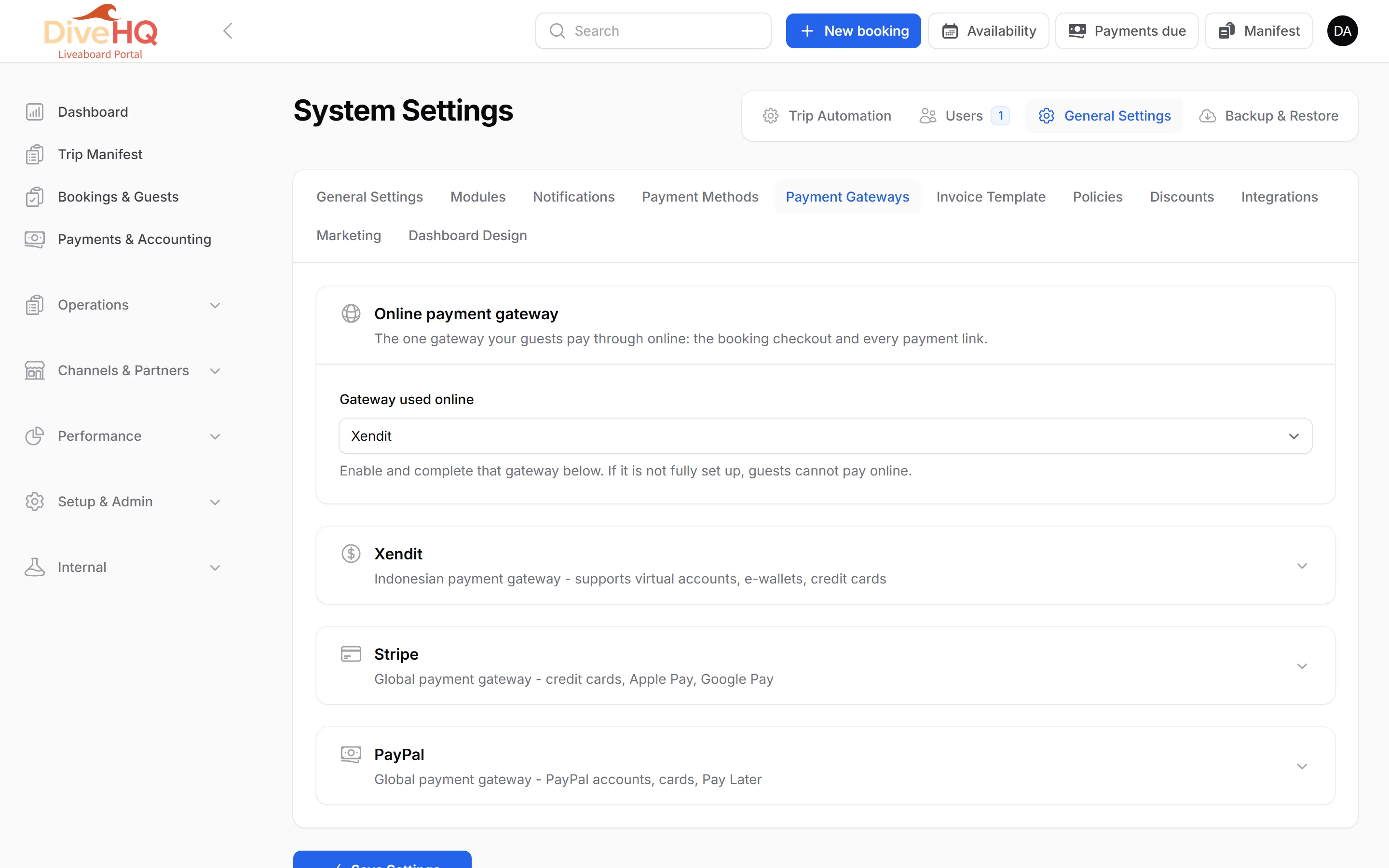
Click the Payment Gateways tab.
-
Under Gateway used online, choose Xendit or Stripe.
-
Switch the chosen gateway on and enter its keys:
- Xendit: the Xendit Secret API Key, and optionally the webhook verification token.
- Stripe: the Publishable Key, Secret Key and Webhook Signing Secret. Create the webhook shown on screen in your Stripe dashboard — without it, no Stripe payment is ever confirmed.
-
Click Save Settings.
Next: 7. Booking widget